RectroNick's Vector Font Editor v1.3
A downloadable tool
RetroNick's Vector Font Editor
The Ultimate Stroke Font Tool for Retro Programmers
Finally — a modern editor for creating, editing, and converting vector stroke fonts for retro platforms. Import from thousands of existing TrueType fonts and SVG icons, then export to formats your vintage compiler actually understands.
Whether you're writing a DOS game in Turbo Pascal, building a GW-BASIC graphics demo, rendering text in a QBasic adventure, or adding scalable fonts to a FreePascal project — this is the tool that's been missing from your retro toolkit.
🔤 What Is a Vector/Stroke Font?
Unlike bitmap fonts that shatter at different sizes, vector fonts store each character as a series of pen strokes — MoveTo and LineTo commands that draw the letterform from lines. They scale to any size without losing quality. They were used extensively in DOS-era graphics: Borland's BGI system, Windows 2.x/3.x vector .FON files, plotters, CNC machines, and early CAD software.
The problem? The tools to create these fonts disappeared decades ago. Until now.
✨ Features
Full Visual Stroke Editor
- Draw characters stroke by stroke with MoveTo/LineTo tools
- Point-level editing — select, drag, add, delete individual vertices
- Snap-to-grid with configurable zoom (4x to 16x)
- Undo/Redo on every character
- Copy/Paste between characters
- Flip horizontal and vertical
- Nudge points in any direction
📐 Font Metrics & Typographic Guides
- Configurable font height, point size, and ascent
- Visual baseline, ascender, descender, and x-height guide lines
- Auto-scan: detects metric lines from actual glyph data (examines uppercase, lowercase, and descender characters automatically)
- Manual override for pixel-perfect control
🔠 TrueType Font Import — Access Thousands of Fonts Instantly
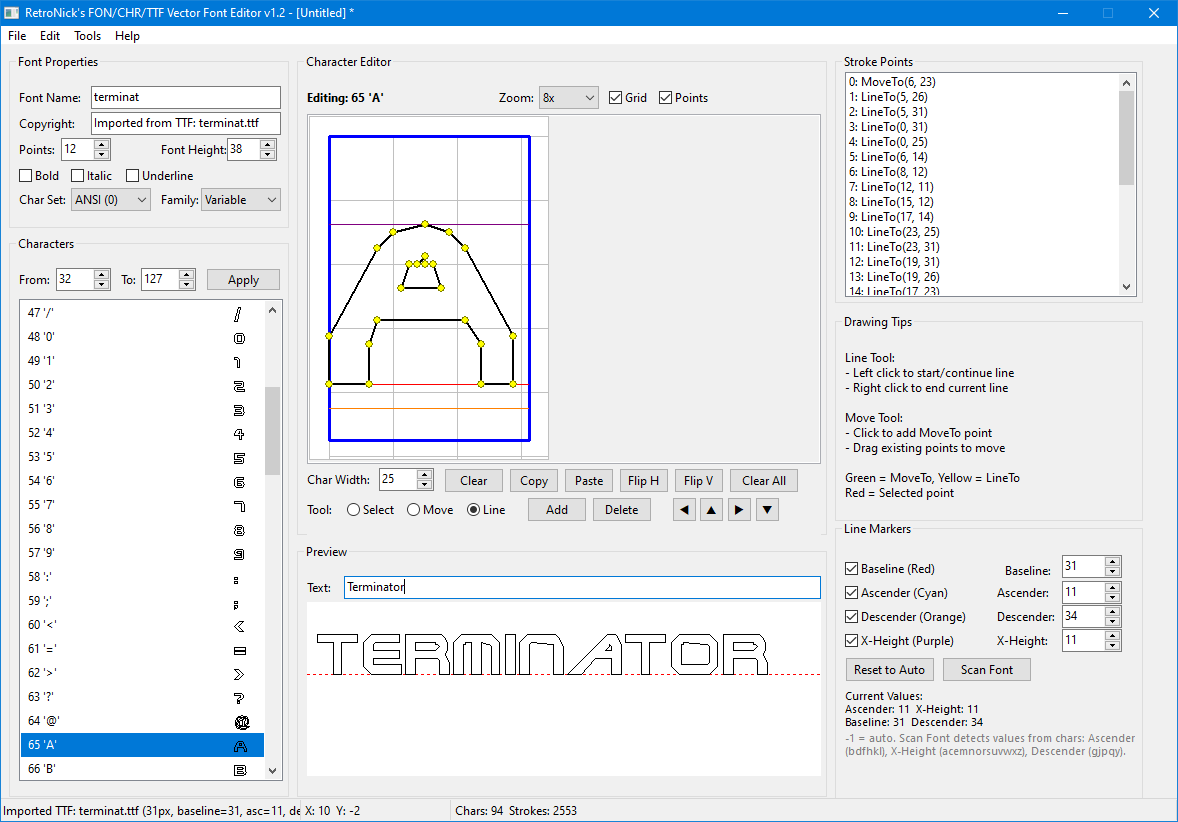
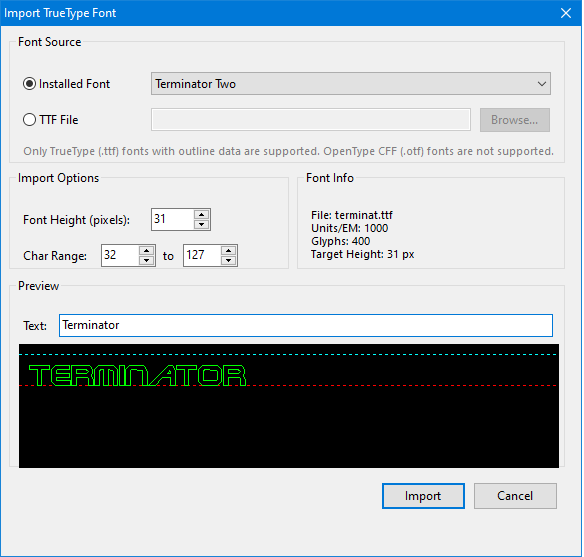
- Import any installed Windows TrueType font or browse to any .TTF file on disk
- Specify target pixel height before import — fonts are scaled and flattened to clean stroke data
- Full Bézier curve flattening — quadratic splines from TTF outlines are converted to crisp line segments
- Automatic baseline, ascender, descender, and x-height detection after import
- Character range selection (import just ASCII, full extended set, or any custom range)
- Live preview with adjustable sample text before committing to import
- All 2,500+ Google Fonts, every free font on the internet, your system fonts — they're all one click away from becoming retro stroke fonts
🎨 SVG Icon Import — Turn Any Icon Into a Font Glyph
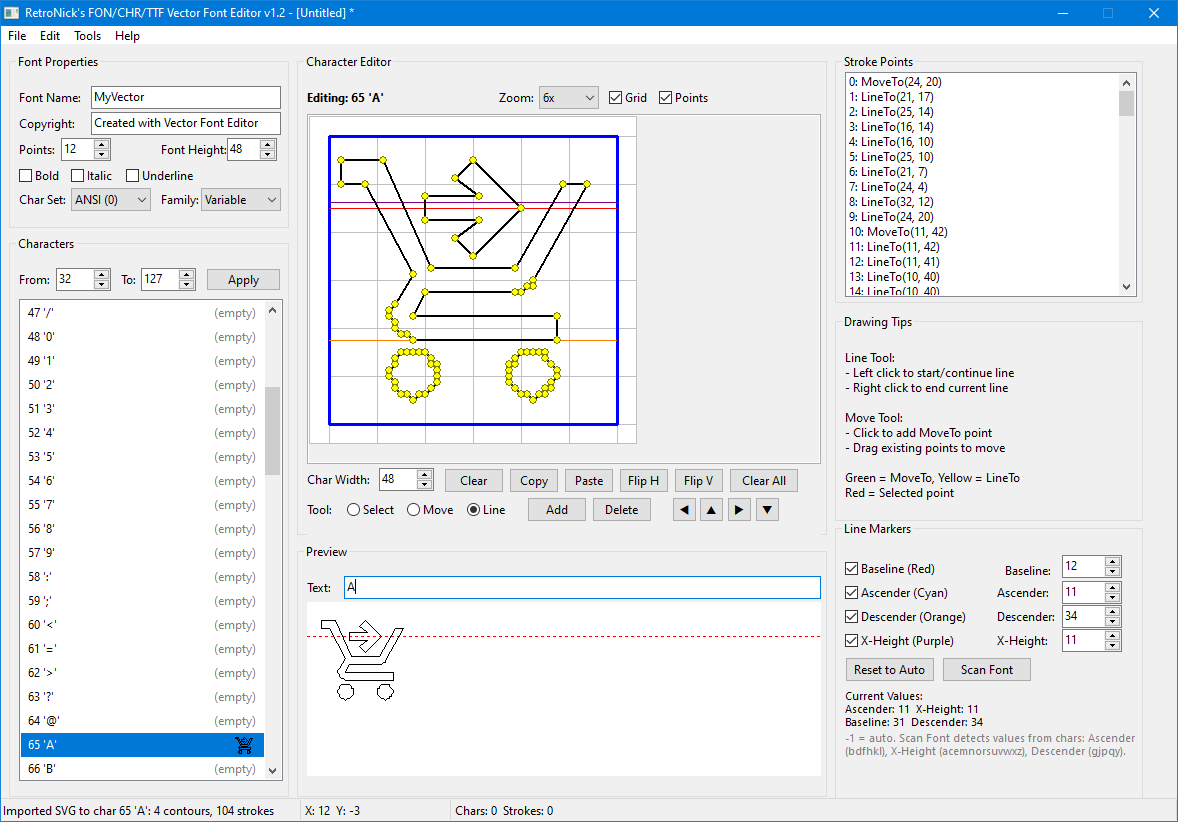
- Import SVG files directly into any character slot
- Full SVG path command support: lines, cubic and quadratic Bézier curves, smooth curves, elliptical arcs — all flattened to clean strokes
- Handles SVG basic shapes: rectangles (with rounded corners), circles, ellipses, polygons, polylines
- Automatic scaling to match your font height
- Smart deduplication removes redundant points created during curve flattening
- Google Material Icons, Font Awesome, Heroicons, Feather Icons, game UI icons, custom artwork — if it's SVG, it's importable
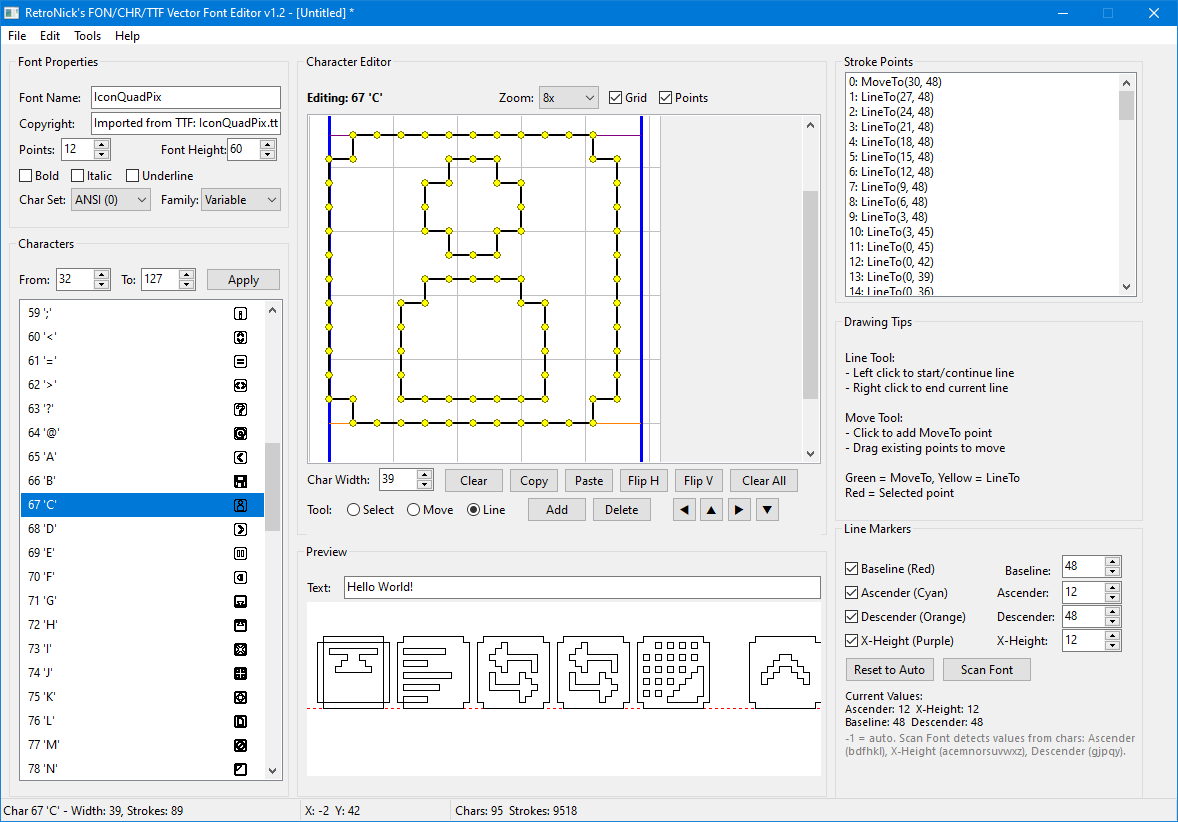
- Build entire icon fonts by importing one SVG per character slot
💾 Multi-Format Save/Load
- Windows .FON Vector Format — Native NE-format vector font files compatible with Windows 2.x/3.x and any language/tool that reads Windows vector fonts
- Borland .CHR Stroke Font Format — Direct export for Turbo Pascal BGI, FreePascal, and the many open-source projects that support the CHR format
- Open from either format — Load existing .FON or .CHR files for editing and conversion
🖥️ Live Preview
- Real-time text preview with custom sample strings
- See your font rendered as you edit — every stroke change updates instantly
⚙️ Batch Tools
- Add trailing MoveTo commands to all characters (CHR format compatibility)
- Font metrics inspector showing character counts, stroke totals, width statistics
- Full character range management with apply/reset
🎯 Who Is This For?
Turbo Pascal / FreePascal developers — Export .CHR fonts and use them with BGI graphics, PTCGraph, or any framework that reads Borland stroke fonts. Create custom fonts for your DOS and retro-style applications.
GW-BASIC / QBasic / QB64 programmers — Import professional fonts, then use the CHR export pipeline to generate stroke data usable in BASIC programs via DRAW commands or LINE rendering.
Windows vector font users — The .FON vector format is supported by Windows and any development tool that can load Windows font resources. Microsoft languages, resource editors, and legacy Win16/Win32 applications.
Retro game developers — Build pixel-perfect scaled text rendering for DOS games, demoscene productions, and retro-styled modern games. Import iconic fonts and give them that authentic stroke-rendered look.
Open source projects — Any project that reads Borland CHR stroke fonts gains access to a full font creation pipeline. The CHR format is documented, compact, and simple to parse.
Icon font creators — Combine SVG icon imports with the character-per-slot workflow to build custom icon fonts for embedded systems, retro UIs, or any platform where bitmap fonts are too rigid.
💡 The Breakthrough
Before this tool, creating stroke fonts for retro platforms meant either hand-coding coordinate tables or being stuck with the handful of .CHR files Borland shipped in 1990. Converting a modern font to BGI strokes? Forget it. Getting a Material Design icon into a DOS program? Impossible.
Now you can take any TrueType font — from elegant serifs to pixel-perfect monospace — flatten its Bézier outlines to clean strokes, and export it as a .CHR or .FON file ready to use in your retro project. You can grab any SVG icon from the thousands of free icon sets available online and drop it straight into a character slot.
Tens of thousands of fonts. Hundreds of thousands of SVG icons. One editor. Every retro platform.
📋 System Requirements
- Windows (32-bit or 64-bit)
- No additional runtime libraries or DLLs required
- No internet connection needed (TTF import reads directly from font files)
Created by RetroNick — building the tools that retro programming deserves.
Download
Click download now to get access to the following files:
Development log
- Update 1.3Apr 13, 2026
- Update 1.2Apr 09, 2026
Leave a comment
Log in with itch.io to leave a comment.